The Camera You Already Own Can Watch Your Dining Room, Your Shop and Your Pool
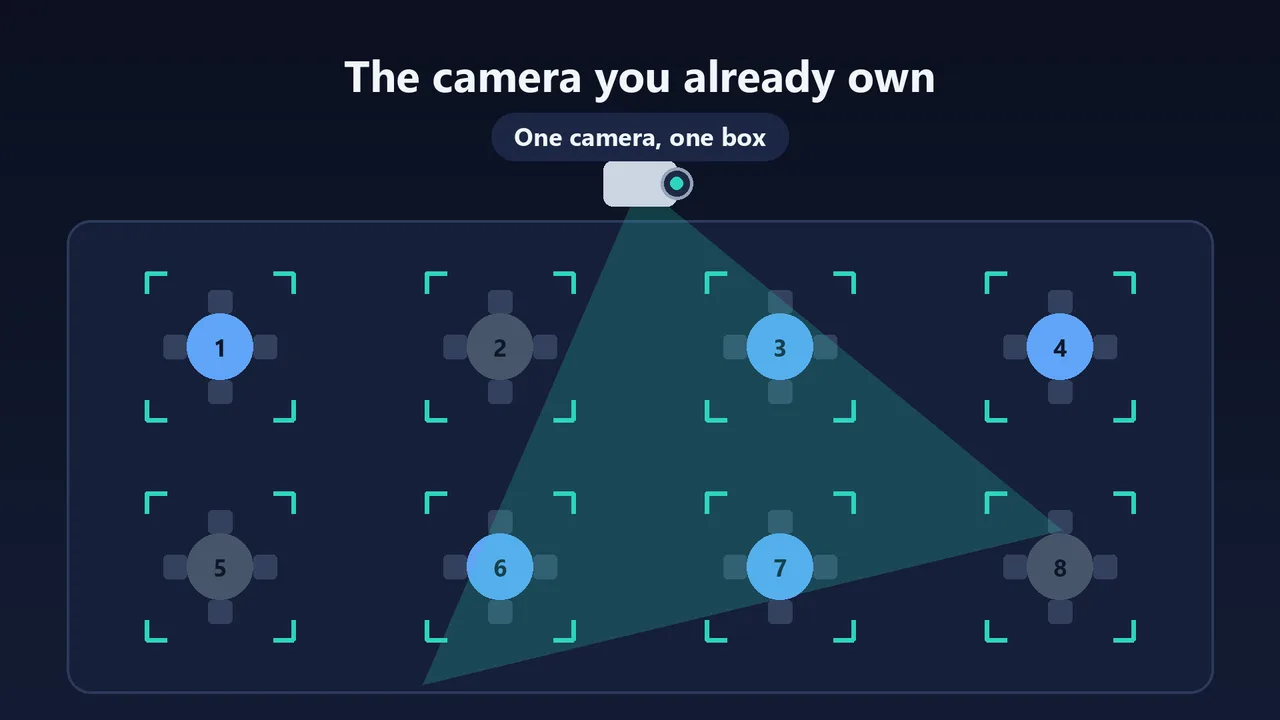
A camera you already own can watch three places that slip past you in the middle of service: a restaurant dining room, a shop's shelves and door, the edge of a pool. A small box analyzes the picture on site, counts silhouettes without knowing who they are, and alerts your phone. It recognizes no face, never replaces a person, and is not a legal safety device.
Why does a camera you already have only help after the fact?
Most shops, restaurants and hotels already have one or two cameras. They record, and you review the footage once the problem has happened: the theft found at closing, a guest's complaint, the weekend incident. During service nobody stares at the screen. You are at the counter, in the kitchen, in the stockroom, on the phone.
What is missing is not one more camera. It is a continuous eye on one precise spot that never gets tired and only bothers you when something looks off. That is exactly what an analysis box adds to the camera you already have.
How can the camera watch for you?
The principle is the same in all three cases:
- We start from your camera (a network camera and its recorder are often enough) or install a wired one in a corner.
- We draw the zones with you on a still image: the tables, the sensitive shelf, the stockroom, the pool edge. You give us your hours.
- A small box on site analyzes the picture continuously. It counts silhouettes and does not know who anyone is. The analysis happens at your place.
- Only the alert leaves. The text reaches the right person's phone (Telegram today), and for the shop and the pool a photo of that moment if you turn it on.
- You go and check, then tap a button: Seen, False alarm or Resolved. Your answers are used to tune the thresholds with you.
The system never decides alone. It warns someone who goes and looks, and that person stays in control.
What does the camera change in a restaurant dining room?
In the middle of service, table 7 has been waiting for the menu for ten minutes and table 3 left a quarter of an hour ago and was never reset. You find out when the guest waves or when the next party is standing. Dining Room Watch follows each table: seated, for how long, needs reset, ready.
| What happens in the room | What the system does (adjustable rule) |
|---|---|
| Guests sit down | Present 20 seconds without a gap: the table turns orange and the clock starts. |
| Nobody has stopped by | After 5 minutes with no "Seen": one single reminder to staff. |
| Guests leave | Seats empty for 30 seconds: the table turns red, "needs reset". |
| The table is reset | Staff tap "Ready": back to green. |
| The camera drops | 15 seconds without a picture: everything turns grey, no invented reminder. |
Staff see a tablet at the pass with four colors and two buttons. At the end of the week you get your real peak hours and the tables that waited, so you can schedule extra hands at the right time. No video is stored and no face is recognized: only table states are kept.
For the restaurant owner's angle, we wrote a separate guide on Rue des Chefs (in French): the table that waits and the guest who leaves, what the camera changes in the dining room.
What does the camera change in a shop?
Pharmacy, tobacconist, wine shop, grocery, bakery: you are at the counter or in the stockroom and nobody is watching the sensitive shelf. The line grows, a customer puts the basket down and leaves. At night, the back door stays ajar. Shop Watch watches a zone, a duration, a stockroom, a door and a line. It does not judge your customers' gestures.
- Sensitive shelf: the same person stays longer than the time you set (45 seconds to start with). Someone walking through in ten seconds triggers nothing.
- Stockroom after hours: someone where nobody should be.
- Line at the register: more than 3 people for 1 minute, so you open the second register before customers walk out.
- Door open after closing: the box compares the picture with a reference image of the closed door.
- Someone inside after closing: a person in the store when it should be empty.
What does the camera change at a pool, in a hotel or a campsite?
The pool edge while you are serving, the forklift lane while the team lead is elsewhere, the stockroom at night: those unwatched minutes are the costly ones. Hotel and Campsite Watch monitors a zone drawn around the pool, active when swimming is closed or no adult is present.
- A person or child enters the zone: immediate alert on the duty phone, with the picture of that moment.
- Someone stays motionless in the zone for too long: second alert level.
- The same logic works for a workshop, a loading dock or a shop stockroom.
This is not a safety device in the legal sense. A fence, a certified pool alarm, a cover or an enclosure remain mandatory. It is one more pair of eyes, not an exemption.
What does it cost you when nobody sees?
Each page has a two-question simulator that uses your numbers, not ours:
- Dining Room Watch: how many guests leave each week without being served, and what one guest spends with you.
- Shop Watch: your monthly sales and the share lost to theft and breakage.
- Hotel and Campsite Watch: what one incident at the pool edge costs you, and how many you have had in five years.
The result is a rough estimate, and the page tells you plainly when the module is not for you: if what you lose is smaller than the module's price, it is no use to you. The price of each module is shown on its page, next to the simulator, in dollars on the English version.
What are the limits, stated plainly?
- No face recognition, no judgment of a customer's gestures, no theft detection as such: the box sees silhouettes, zones and durations.
- A reminder is not a reproach. In the dining room, a 5-minute reminder means "go and see this table," not "the server has not been." Empty seats do not prove a clean table: staff confirm that.
- We do not make a pool legally safe. The legal protections remain mandatory.
- Filming an area open to the public has rules. For a shop or a dining room, the owner's prefectural authorization has to be checked before installation, and the legal framework is changing. We have not had it reviewed by a lawyer.
- A pilot is open, and no venue is equipped yet. The demos show the principle on test footage; a week of observation at your place lets you compare with reality before any commitment.
Frequently asked questions
Do I need a new camera for Dining Room, Shop or Hotel and Campsite Watch?
Often not. A network camera and its recorder are enough in many cases. If not, we tell you before installation, and any hardware needed is billed at our purchase price, with no markup.
Does the camera recognize faces?
No. The box counts silhouettes and does not know who is who. In the dining room no video is stored and only table states (seated, needs reset, ready, with the time) are kept. For the shop and the pool, only the alert leaves the box, with a photo of that moment if you turn it on.
Is it legal to film my dining room or my shop this way?
It depends on your situation. An area open to the public calls for the owner's prefectural authorization and informing the people filmed. We help you go through the topic, but we do not replace a lawyer. For a pool, no system replaces the fence, certified alarm, cover or enclosure the law requires.
What happens if the camera goes down?
The box notices. In the dining room, after 15 seconds without a picture everything turns grey and no reminder is sent until the picture is back: the system guesses nothing. The box is also monitored on our side.
How can I try it before committing?
Each offer starts with a discovery edition: one camera, one week of observation, a report reviewed with you. Details and prices are on the Dining Room, Shop and Hotel and Campsite pages, with their simulator.
How much does what nobody sees cost you every month?
Run the numbers on the Dining Room page